Executive Summary: The best day trading platform depends on the markets you trade, the order-entry tools, device compatibility, market-data access, total trading costs, and broker or prop-program support. Thinkorswim, Webull, and Interactive Brokers serve different stock and options traders, while NinjaTrader and Tradovate focus heavily on futures. TradeStation supports strategy development, and TradingView provides charting through supported broker connections.
What is a Trading Platform?
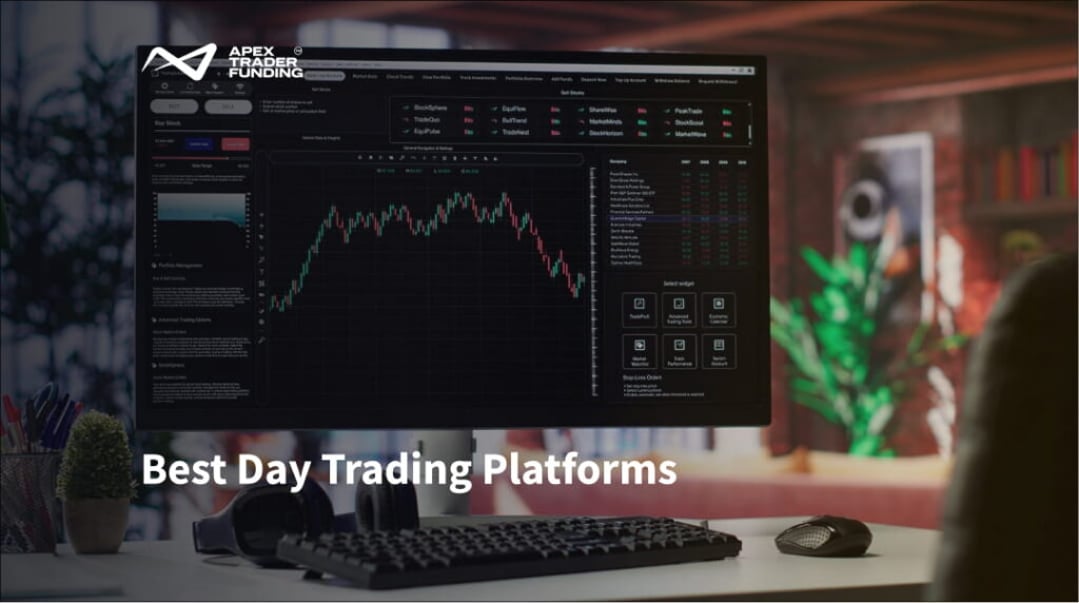
A trading platform is software that connects a trader to financial markets through a broker or prop firm and routes orders for execution. It provides charts and real-time market data for analyzing price movements. Its order controls and account-level safeguards also help traders manage positions and risk within applicable trading rules.
Beyond execution, platforms also support decision-making through structured toolsets that can be grouped into three categories:
- Analysis tools: Charts, indicators, and drawing systems
- Execution tools: Order entry panels, hotkeys, and depth-of-market ladders
- Strategy tools: Scanners, alerts, and backtesting or automation features
The quality, speed, and reliability of these tools vary significantly across platforms and can directly influence how effectively a trader identifies setups, executes trades, and manages risk in real time, ultimately impacting the consistency and accuracy of trading decisions.
Day Trading Platform Comparison
The following platforms serve different markets and trading workflows. The comparison is unranked because a platform that works well for a futures trader may not meet the needs of an options trader or someone trading international markets.
| Platform | Best suited for | Main markets | Access |
| Thinkorswim | Stock and options traders who want detailed analysis tools | Stocks, options, futures, and forex, subject to eligibility | Desktop, web, and mobile |
| Webull | Traders who prefer a streamlined desktop and mobile experience | Stocks, ETFs, options, and other eligible products | Desktop, web, and mobile |
| Interactive Brokers TWS | Experienced traders seeking international and multi-asset access | Stocks, options, futures, forex, bonds, and other supported products | Desktop, web, and mobile |
| NinjaTrader | Futures traders who want desktop customization and strategy-development tools | Futures | C#-based Windows desktop, plus distinct cloud-based web and mobile access. |
| Tradovate | Futures traders who want browser and mobile accessibility | Futures | Web, desktop, and mobile |
| TradeStation | Traders who want to create indicators or systematic strategies | Stocks, options, and futures | Desktop, web, and mobile |
| TradingView | Traders who prioritize flexible charting and broker-connected execution | Charting across multiple asset classes | Web, desktop, and mobile |
Stock and Options Platforms
Thinkorswim
Thinkorswim is a full-featured trading platform built for analysis and active trading. It includes customizable charts, stock scanners, options tools, and a paper trading mode for practice. It is available to Charles Schwab clients on desktop, web, and mobile, allowing users to analyze markets in detail or monitor positions on the go. Note that Thinkorswim is fully integrated into Charles Schwab following its acquisition of TD Ameritrade.
There is no separate platform fee to use Thinkorswim. Margin rules and intraday buying-power limits vary by product and account type, so traders should confirm how they apply to their Schwab account.
Best suited for: Stock and options traders who want detailed charting, scanning, and position-analysis tools.
Webull
Webull is a simple trading platform available on desktop, web, and mobile. It includes basic tools such as charts, watchlists, alerts, screeners, and options trading, making it easy for newer traders to follow the market and place trades without a complicated setup.
Webull offers commission-free trading for certain eligible products. Product availability and real-time data access vary by account and subscription. The platform prioritizes ease of use and covers essential retail trading functions, although it offers less routing control, global market access, and advanced analysis than some professional platforms.
Webull uses Payment for Order Flow (PFOF) for certain orders. PFOF is part of its order-routing model and should be considered alongside factors such as execution quality, order type, market conditions, and available liquidity when comparing brokers.
Best suited for: Beginners and mobile-focused traders who want a relatively streamlined interface for eligible U.S. products.
Interactive Brokers Trader Workstation

Interactive Brokers’ Trader Workstation is built for active traders who want access to many global markets in one platform. It supports stocks, options, futures, forex, bonds, and other instruments, along with tools for charting, scanning, and managing risk on open positions.
The platform is powerful but can feel complex for beginners at first. Available products, market data, routing options, margin rules, and pricing structures depend on the account type, location, market, and selected plan.
Best suited for: Experienced traders who require broad international access, multiple asset classes, and advanced order controls.
Futures Trading Platforms
NinjaTrader
NinjaTrader Desktop is a Windows-based futures trading platform designed for active traders. It includes advanced charting, a SuperDOM for order entry, simulation and market replay tools, and NinjaScript for building custom indicators or automated strategies. These features make it useful for futures traders and users of evaluation or prop-style programs.
Because NinjaTrader Desktop is Windows-based, macOS users can instead use NinjaTrader’s separate browser or mobile applications, depending on their needs. The browser and mobile versions are distinct cloud-based applications rather than browser access to the desktop platform. Although NinjaTrader supports automation, strategies should still be tested and monitored to assess their performance under different market conditions. Pricing and commission structures vary by the selected plan and services.
Best suited for: Futures traders who want detailed desktop charting, depth-of-market order entry, or strategy development.
Tradovate

Tradovate is a cloud-based futures trading platform that works through a web browser, desktop app, and mobile devices. This makes it useful for traders who want to access their account from different devices without relying on a Windows-only setup. It allows users to place orders, manage positions, and view charts as long as they have an internet connection.
Its main benefit is convenience. Because it runs in the cloud, there is no heavy software to install or maintain, and the layout stays consistent across devices. This can be helpful for traders who value simplicity and mobility. However, the experience can feel slightly different depending on which device you are using, so it is important to test whether the charts, order entry, and controls fit your trading style.
Tradovate offers different pricing plans that affect commission rates. Tradovate and Rithmic are separate trading connections with different technical and market-data requirements when both are available through a broker or evaluation program.
Best suited for: Futures traders who want to access their platform through a browser or move between desktop and mobile devices.
Multi-Asset Trading and Charting Platforms
TradeStation
TradeStation is mainly used by traders who want to build and test trading strategies in stocks, options, and futures. Its key feature is EasyLanguage, which lets users create custom indicators and automated strategies without advanced coding skills. The platform also includes charting tools, market scanners, backtesting, and market replay, which help traders review how a strategy might have performed in past market conditions.
However, creating a reliable automated strategy involves more than setting simple entry and exit rules. Traders still need to consider real-world factors like data quality, trading costs, slippage, changing market conditions, and possible execution issues, all of which can affect results. TradeStation pricing depends on the account type, markets traded, data subscriptions, and optional services.
Best suited for: Traders who want to develop indicators, test systematic ideas, or automate strategies across supported markets.
TradingView
TradingView is a charting-focused platform used for market analysis, idea development, and trade execution in one place. It is popular for its clean, browser-based charts that work across web, desktop, and mobile devices, allowing traders to move between devices while keeping their layouts and analysis intact. It also includes Pine Script, which lets users create custom indicators, alerts, and simple strategy tests.
Its main strength is flexibility. Traders can connect supported brokers to place trades directly from the platform, creating a smoother workflow from analysis to execution. However, the trading experience depends on the broker connection, since TradingView is not a broker for most users. This means available markets, order types, and features can vary based on the broker and region.
TradingView offers free and paid plans, with higher tiers providing additional indicators, alerts, and tools. Real-time exchange data may require a separate subscription or qualifying broker connection.
Best suited for: Traders who want accessible charting, custom indicators, alerts, and execution through supported broker connections.
How to Choose the Right Day Trading Platform
Choose a platform by matching its capabilities with the actual trading process. Begin with the market and broker or account structure, then evaluate features and costs.
Use this checklist:
- Identify the market. Confirm whether the platform supports the stocks, options, futures, forex, or other products you want to trade.
- Check how you will place trades. Make sure the platform supports your preferred way of trading, such as quick order buttons, chart trading, or automated orders.
- Check device compatibility. Confirm that the platform works on your computer, phone, or other devices.
- Check market data. Make sure you can access real-time prices and any additional data you need, and see if it is included or costs extra.
- Check broker or account support. Ensure the platform works with your broker or trading program.
- Review total costs. Include trading fees, platform fees, data costs, and any other charges.
- Test the platform. Use a demo account to see how it works in real conditions and practice placing and managing trades.
- Check risk settings. Understand how stop losses, limits, and safety rules work if your connection drops or the platform disconnects.
Cost note: Charges vary by platform and market. Stock and options platforms may apply options contract, regulatory, routing, or financing fees, while futures platforms may involve commissions, exchange, clearing, and market-data charges. Charting platforms may also charge separately for premium features and real-time exchange data. Review the platform and broker fee schedules for the specific products traded.
Technology can reduce friction, but it cannot replace a tested strategy or risk plan. The selected platform should support the trading process while maintaining operational simplicity.
If you are looking to test these platforms, availability depends on the broker, prop firm, program, and account connection. Futures prop firms such as Apex Trader Funding may support platforms including NinjaTrader and Tradovate for certain account types. Depending on the program, traders may use these platforms for simulated evaluation or performance accounts, while any live-funded arrangement may follow different terms. Traders should check the current program rules and supported connections before selecting a platform.
Disclaimer: Day trading involves substantial risk and may not be suitable for every trader. Pricing, supported products, and platform features can change. Review the provider’s current terms before opening or connecting an account. Traders should assess their financial circumstances before participating.
Frequently Asked Questions
How many hours should a day trader trade?
Active day traders often concentrate their execution during the primary market opening hours (typically the first 1 to 3 hours of the trading session) due to elevated liquidity and volatility. The appropriate session depends on the market, strategy, availability, and risk plan. Some traders focus on a short period of higher activity, while others monitor specific setups across a longer session. More screen time does not necessarily produce better trading decisions.
What is the best time to day trade?
The best time depends on the market being traded. Periods of higher participation may provide greater liquidity and tighter spreads, but they can also produce faster price changes and increased execution risk. Traders should identify the session that fits their strategy rather than applying a single time window to every market.