
Tradovate Group Management (Copy Trader)
Tradovate has a limited trade copier built into it, known as Group Trade. Group Trading is automatically enabled for any Apex user with more than one active Tradovate account, and no additional activation steps are required. Below is a quick summary on how to create and access this feature:
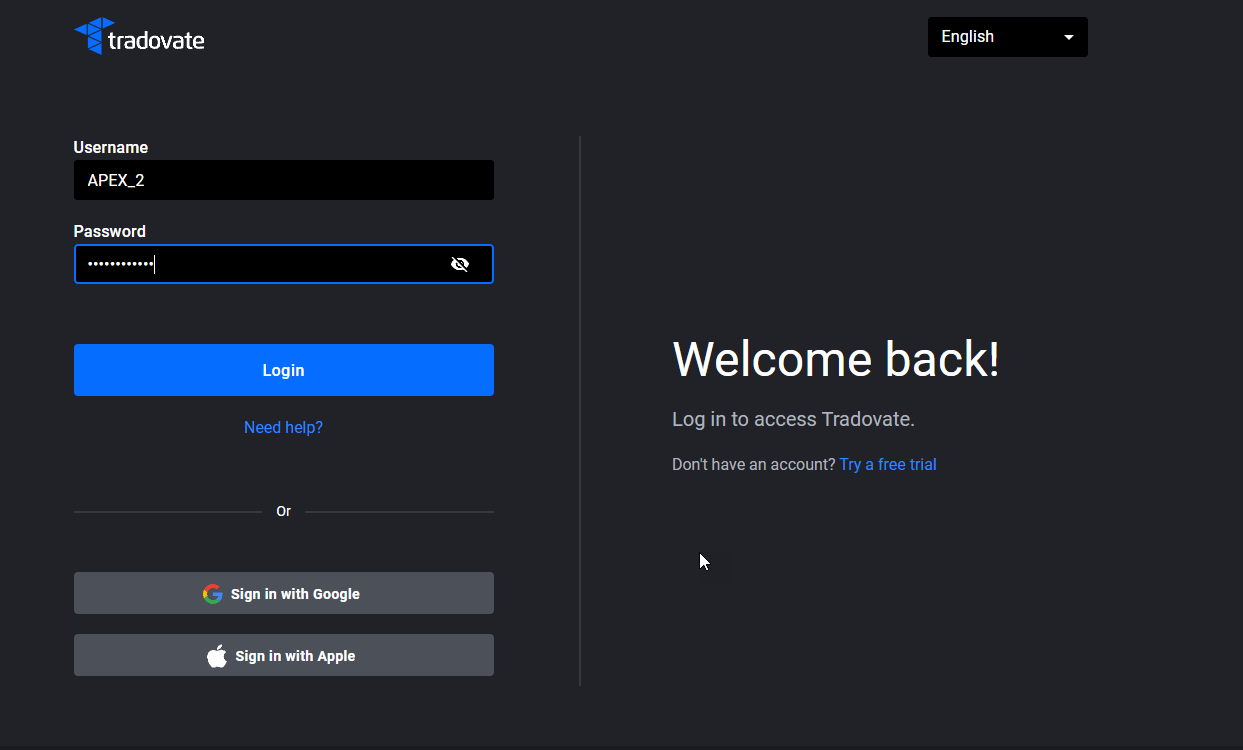
1. Log in to Tradovate. Select the Trading Mode Simulation after logging in.
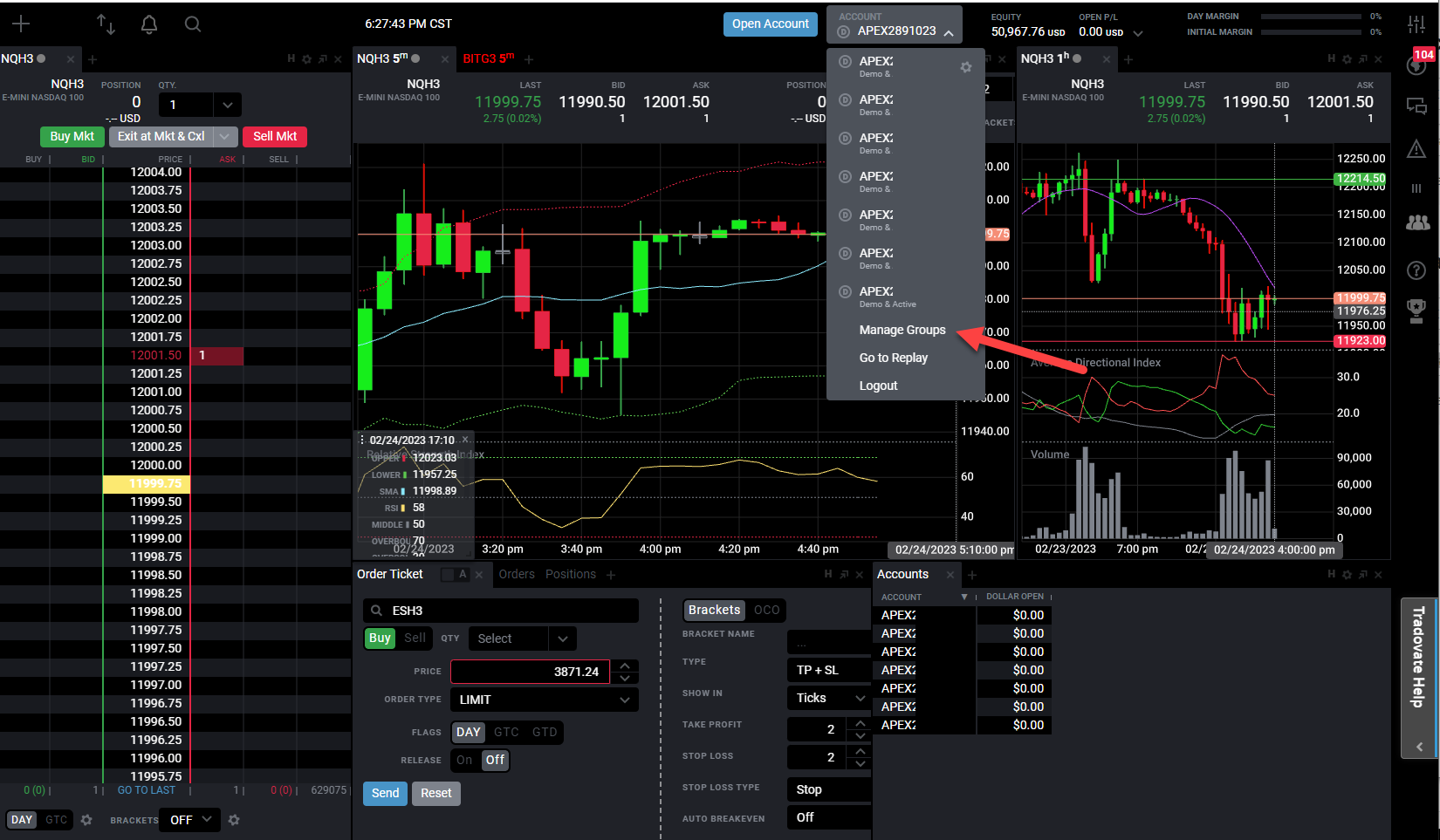
2. Once you’re logged in, go to the accounts drop-down and click on Manage Groups:
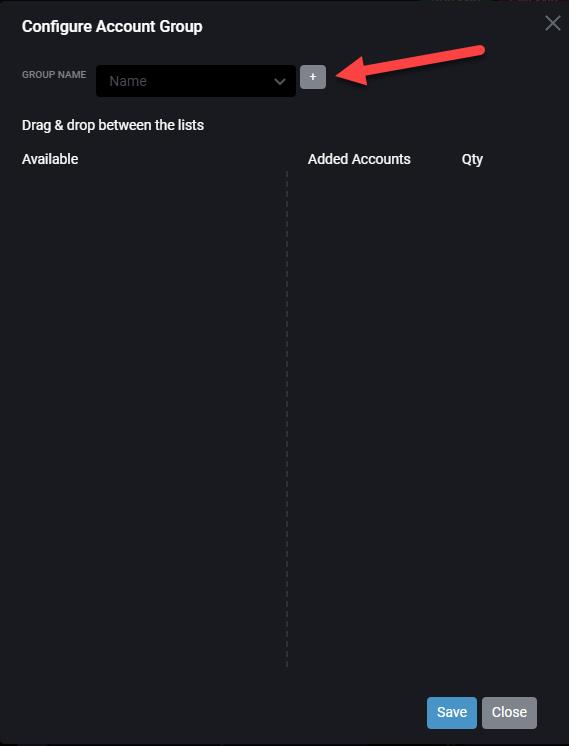
3. Click on the “+” sign to create a group, then give your group a name:
4. After you’ve created your group, click and drag the accounts you want in your trade copier group from the left-hand frame to the right-hand frame:
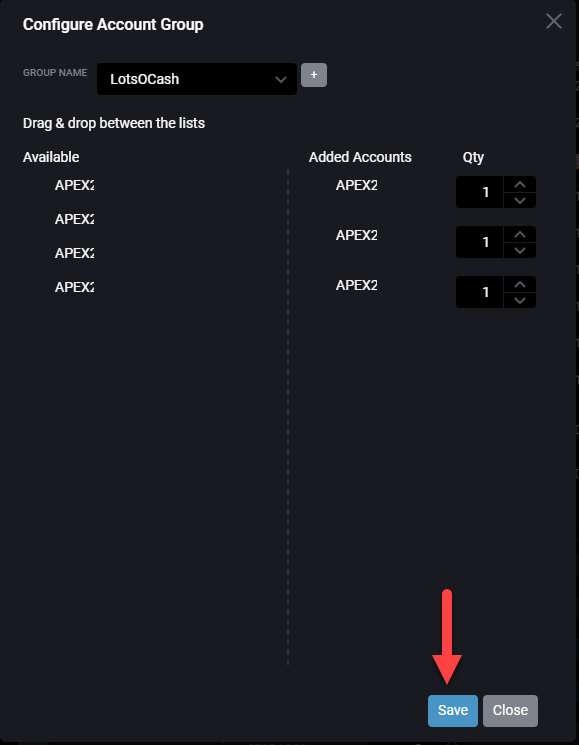
5. You adjust the number of contracts you’d like to trade by moving the Qty numbers up or down. After you create your group, click the Save button, acknowledge the creation of the group, and then click on the Close button.
6. Once you save the group, it will appear in the Account drop-down menu.
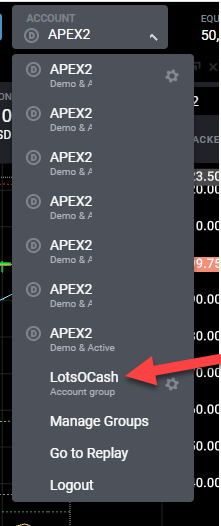
7. Select the group you wish to use for trading to have your trades copied across multiple accounts. You may create multiple groups and switch between them.
Tradovate Groups (Trade Copier) forbids the use of Bracket orders (ATMs). If you want to use bracket orders (ATMs), you must use NinjaTrader.
Tradovate’s Group Trade feature cannot be used within TradingView. Group Trading is only available from within the Tradovate platform.
For additional information, please refer to the Tradovate support site: Group Trade
Other things to note about the Tradovate groups:
You must have one of the accounts selected, which is part of the group that you wish to copy trades across. For example, if you have accounts 1-6 in the group but you have account 7 selected, the trades will not be copied across accounts 1-6.
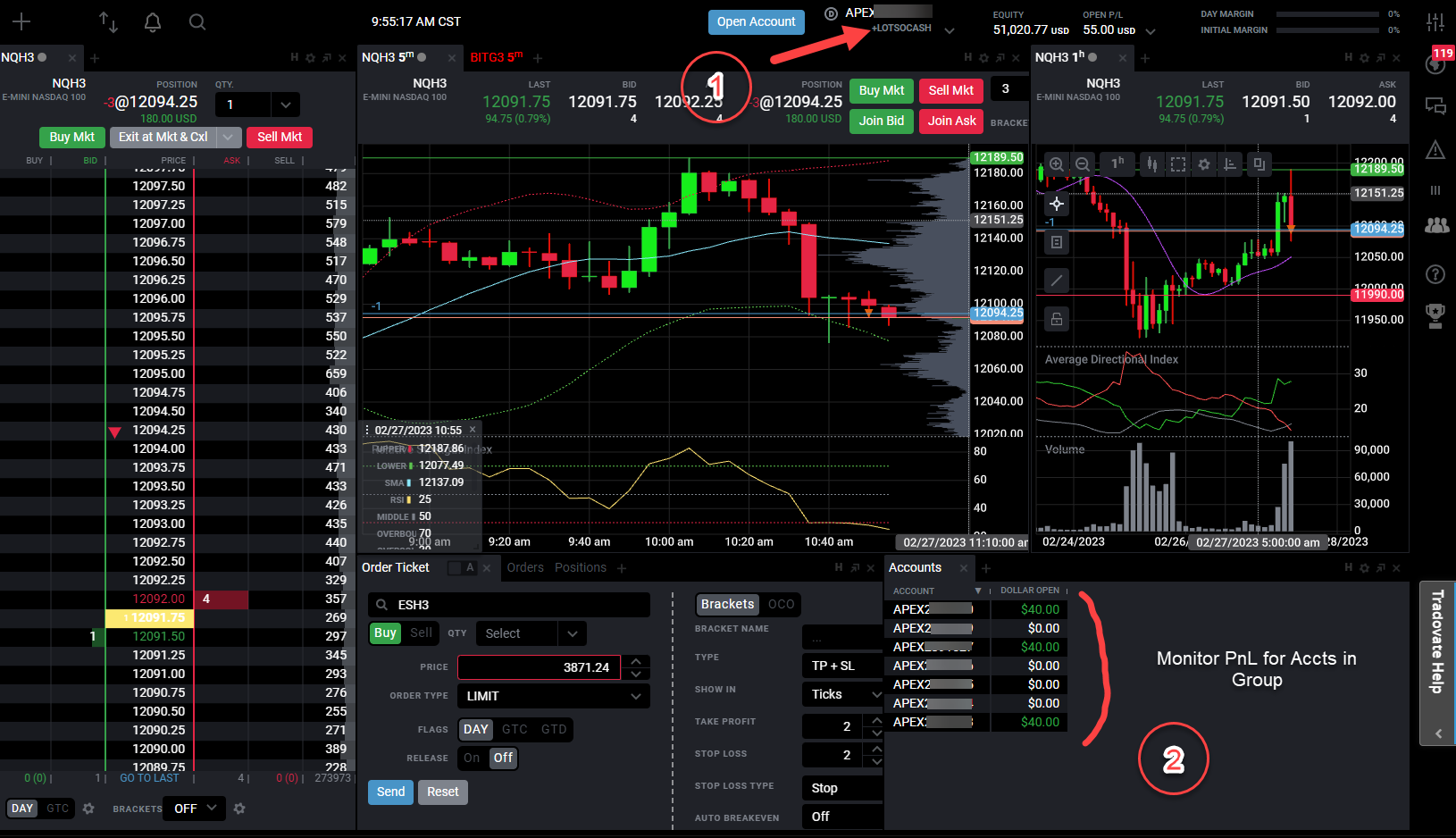
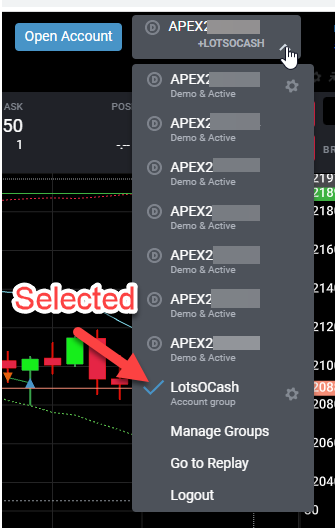
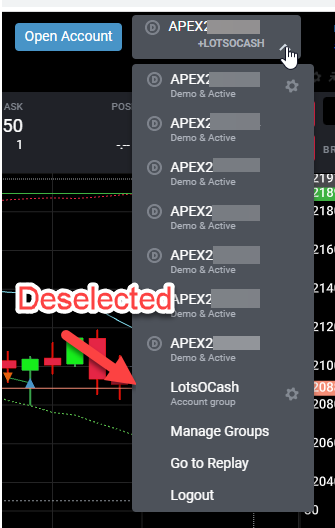
If you have a group selected, you can see which one is active here. To deselect the group, click on the account drop-down and the group name.
Here, you can track the account balances of open positions in your group.
The Qty (number of contracts) must be a multiple of the number of contracts in the group:
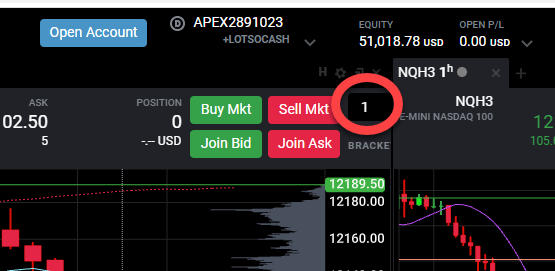
Otherwise, you will get this error message:
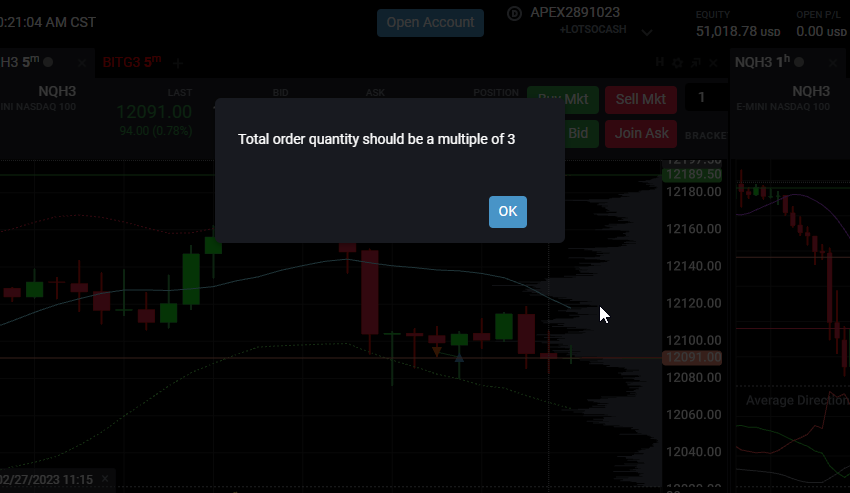
If you specified more than one contract in the group setup, your Qty (number of contracts) must be a multiple of the combined total. For example, three accounts x two contracts = six total contracts. So, the number in the quantity field must be a multiple of six.
Flattening Trades while Group Trading