
Tradovate limits the number of API requests that can be made within a given period to protect its servers from receiving too many requests in a short amount of time.
A request can include actions such as logging in to Tradovate, opening platform modules, placing orders, modifying orders, or canceling orders. When trading with groups, actions performed across multiple accounts may generate separate requests for each account.
“Too Many Requests” error message
If you reach Tradovate’s request limit, you may see a “Too Many Requests” message, experience a blank workspace, or be unable to place, modify, or exit an order or position.
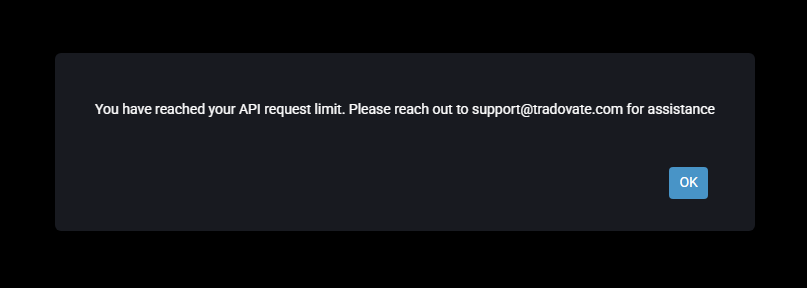
Tradovate’s request limit will automatically reset after a 60-minute cool-down period. Tradovate Support may also be able to reset the request limit so you can regain access sooner.
To request assistance, please contact [email protected] with the subject line “Apex Account – Request Limit Reset” and include your Tradovate username, or reach them via phone or chat at https://www.tradovate.com/support/.
Order and Group Trading Limits
The maximum number of contracts per order is 100. If you trade in groups, the total number of contracts across all accounts cannot exceed 100 for the order.
When trading with groups, each action performed on each account may count as a separate request. For example, placing an order across 20 accounts may generate 20 separate requests.
Important Position Management
Reaching Tradovate’s request limit does not automatically flatten open positions. Neither Tradovate nor Apex automatically manages or closes positions when the request limit is reached. Position management remains the responsibility of each trader. However, Tradovate Support can assist with resetting the API limit so you can manage your positions.
To request a reset, please contact [email protected] directly with the subject line “Apex Account – Request Limit Reset,” and include your Tradovate username. You can also reach them via phone or chat at https://www.tradovate.com/support/.
DISCLAIMER NOTE: API request limits are determined and enforced by Tradovate and cannot be controlled by Apex Trader Funding. Reaching this limit and losing an account will NOT result in a free reset, balance change, or account restoration.