
Encountering login issues with RTrader? Follow these troubleshooting steps to regain access:
- Use the Correct Version
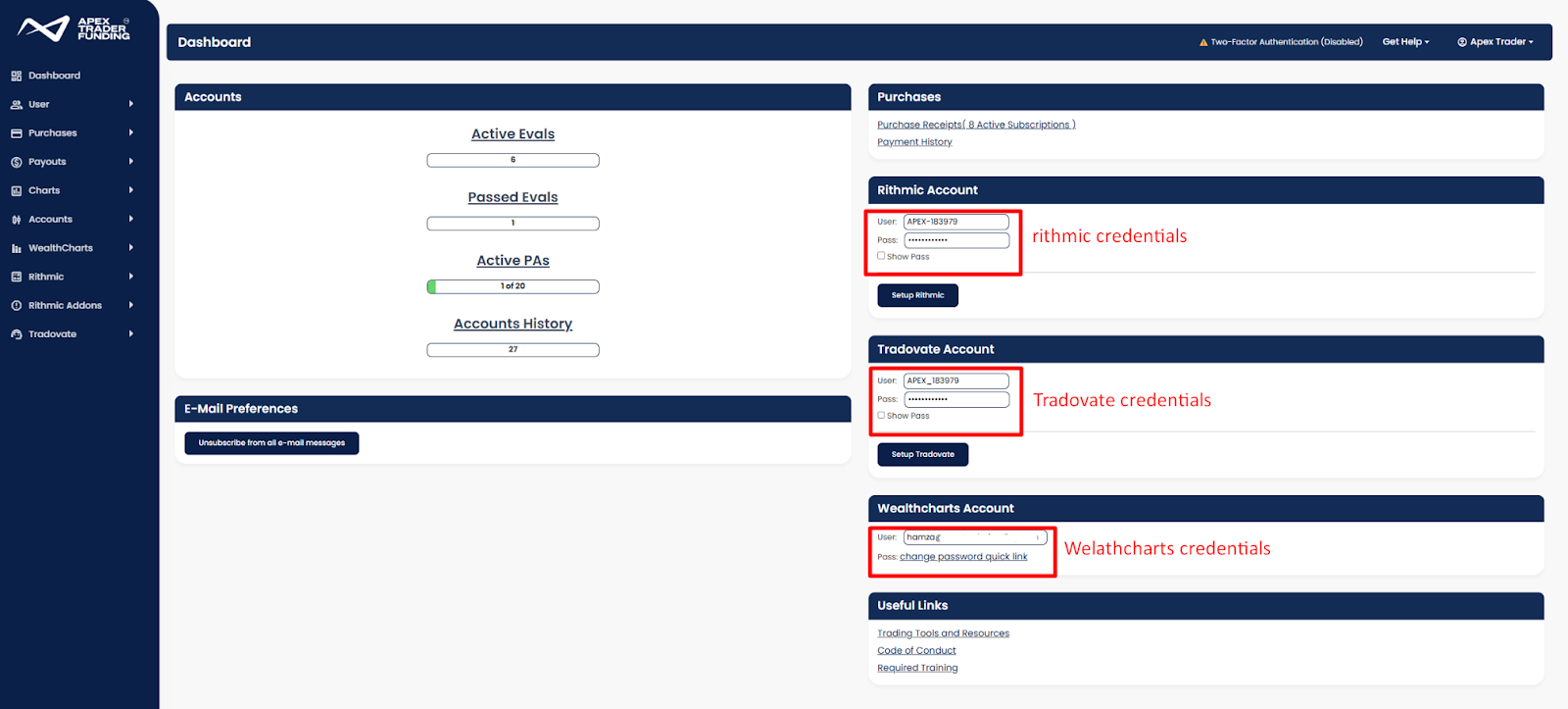
- Ensure you are using the APEX VERSION of RTrader. You can also download this from your Dashboard under your Rithmic Credentials, where it states “Rithmic Setup”.
- Delete any other versions of RTrader from your computer.
- Verify Login Credentials.
- Do not use your website login credentials. You must use the RTrader-specific login and password provided to you.
- If you’ve logged in before, double-check for any typos, extra spaces, or other user errors in your username or password.
- Copy and paste your username and password instead of typing them to avoid mistakes.
- Check Account Status
- Visit your members’ area to verify your account’s expiration date.
- If your account has expired with no active accounts, you will need to sign up for a new account.
- Ensure Profile Accuracy:
- Confirm that your address and zip code are correctly entered in your profile. Incorrect information can prevent account creation.
- If you still can’t log in, please reach out.
- If you’re still experiencing issues when trying to log in, reach out to us here.