Step 1
Check your account balance is above the profit target (including commission).
Note: Always check the provider account balance, for example, on Rtrader Pro. NinjaTrader may show the balance excluding commissions. Additionally, the WealthCharts WealthTracker also shows the Gross P&L without commissions deducted.
The Tradovate Equity Balance must exceed the profit target. E.g. $320,000 for a $300k Evaluation.

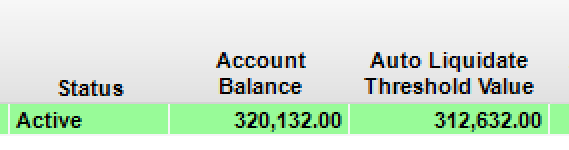
The Rithmic Account Balance must exceed the profit target and show an Active Status. E.g. $320,000 for a $300k Evaluation.
The WealthCharts Account Balance under the Broker Portfolio tab must exceed the profit target. E.g. $53,000 for a $50k Evaluation.

Step 2
Check your number of days traded on the Eval Charts. This needs to be a minimum of 7, unless there is an active promotion that includes a 1-day pass eligibility.
In the example below, we can see Eval-05 shows as passed because the P&L has surpassed the target, and the number of trading days exceeds 7 (or 1 day during promotions). Whereas, Eval -03 is not displayed as Passed yet.
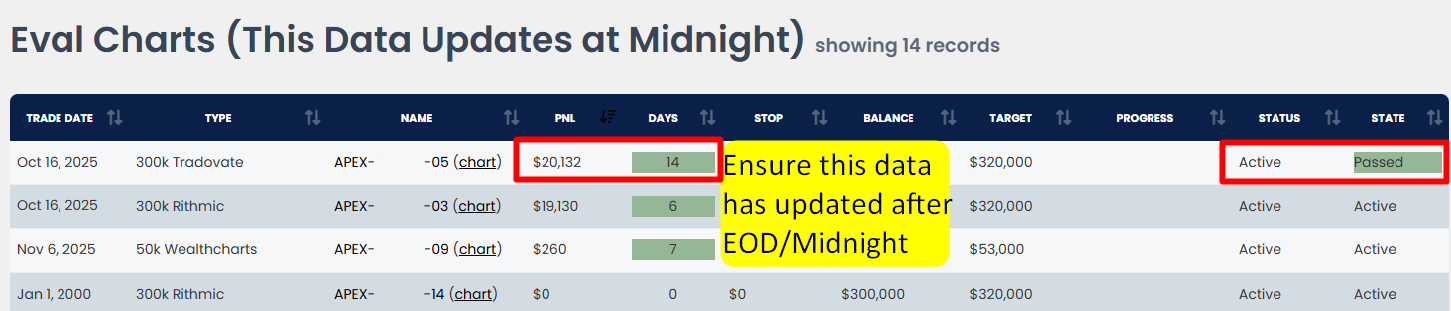
If today is October 17th and you have traded on Eval-03 to surpass the profit target on the 7th Trading Day, then you must wait for the midnight (EST) reports to run for the P&L to be updated, and the account will then show as passed.
Step 3
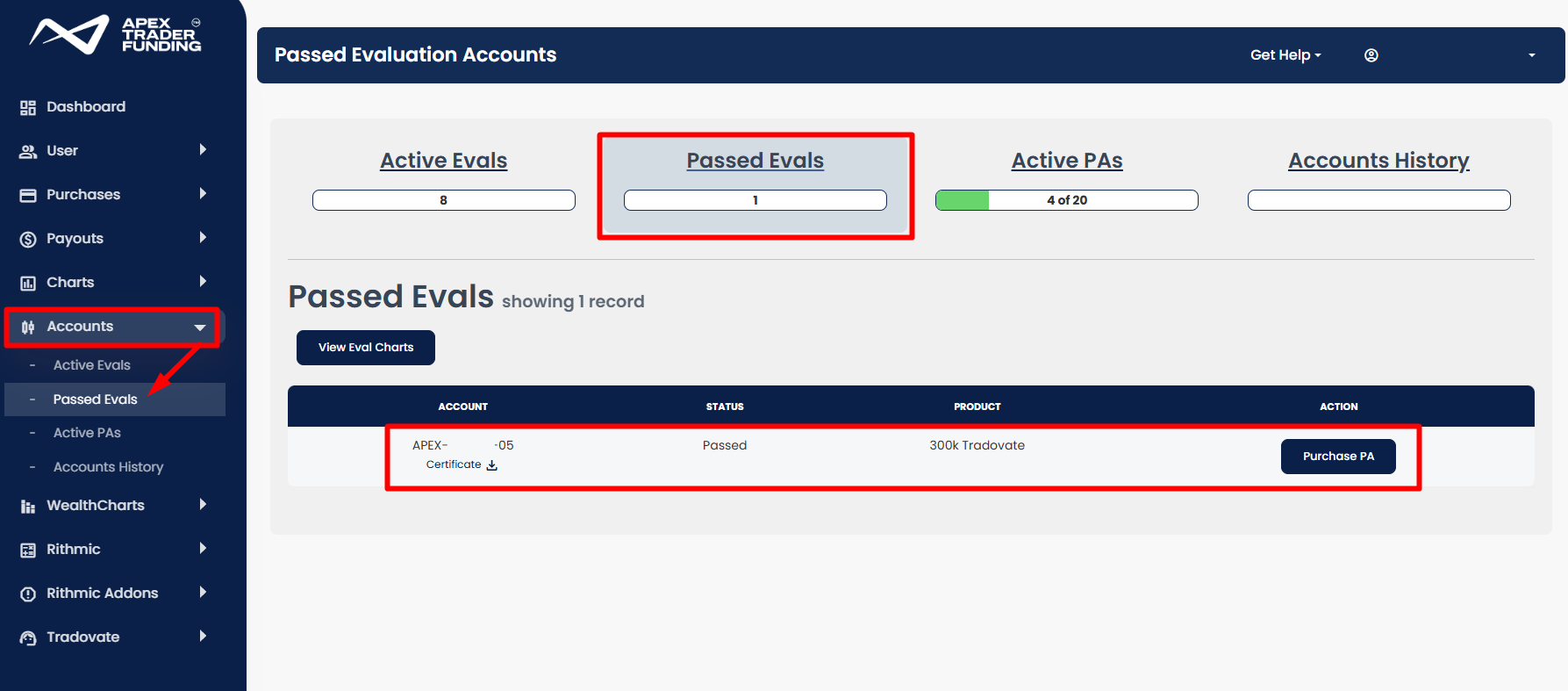
Once the midnight (EST) report has been loaded, you will receive an email stating you passed the evaluation. This will be updated on your dashboard under the Passed Eval section. As we can see from the image in Step 2, Eval-05 was passed, and this is shown in the Passed Eval Section below.