
How to Apply a Coupon
- Coupons must be applied during checkout when making your purchase.
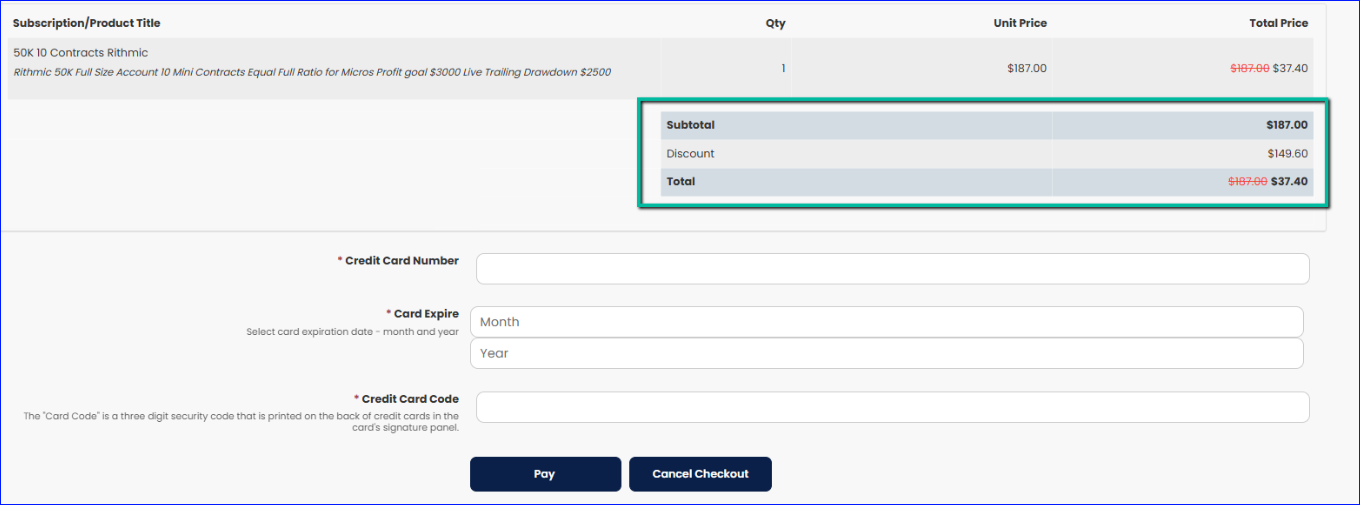
- Before completing the transaction on the checkout page, double-check that the discounted price is correctly applied to your order. This cannot be amended after the payment is complete.
Missed Coupons or Discounts
- Important Reminder: Once the payment is processed, coupon codes cannot be applied retroactively, and refunds or adjustments for missed discounts will not be provided.
- To ensure you don’t miss out, review your order summary carefully before completing your purchase.
How to Add a Coupon Code
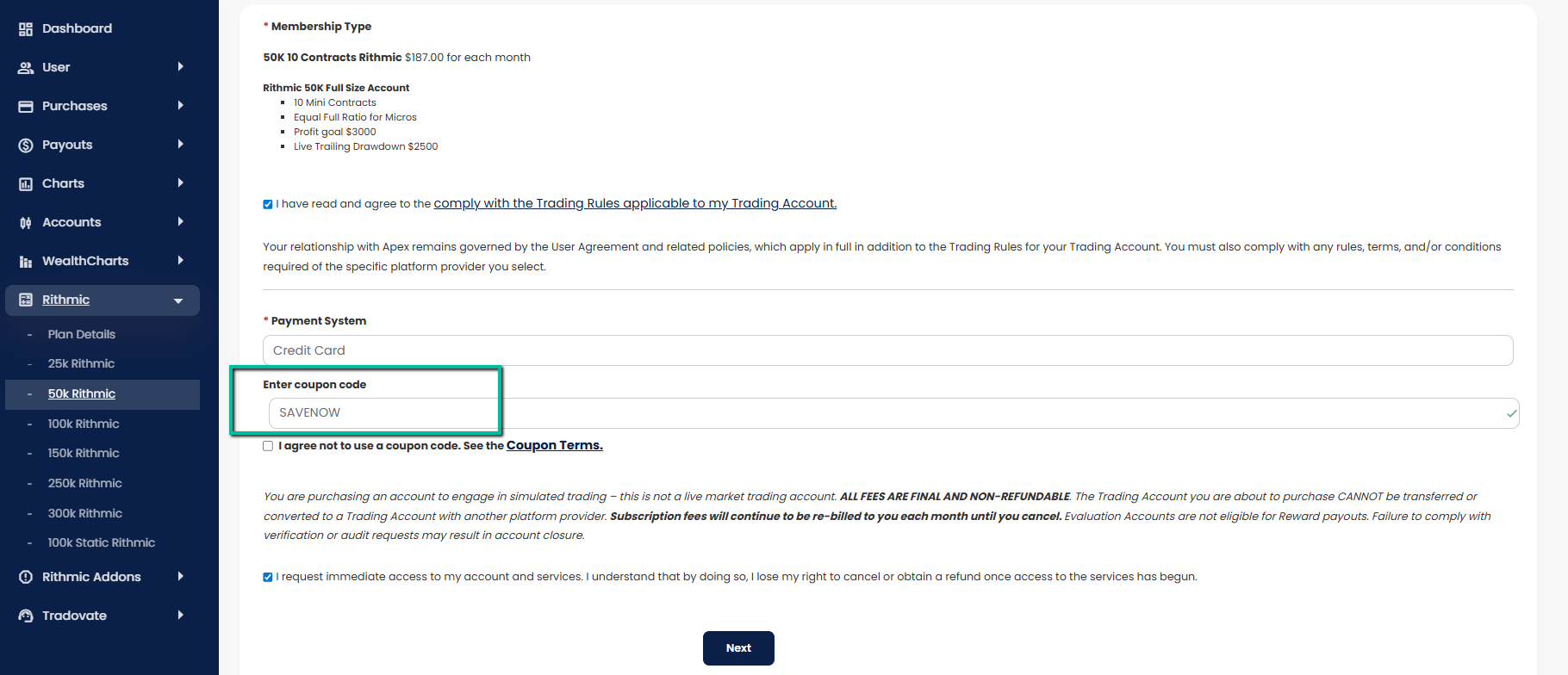
On the checkout page, enter the coupon code you were given, or “SAVENOW” if you don’t have one. You will need to agree to our Trading Rules and policies before you click “Next.”
Once on the checkout page, review the discount amount and Terms, then fill out your credit card information to complete the purchase.
- Evaluation discounts are only valid for accounts purchased during the sale period.
-
Discounted PA Activation Fees are only valid through the promotion date listed. After that date, normal PA Fees apply. The PA Activation Fee Discount does NOT stay with an Eval Account just because the Eval was purchased during this promotional period. PA Activation Fee Discounts apply through the date listed above, then revert to the regular price. The PA Activation Fee Discounts may be used on current evaluations purchased before this sale; they do not only apply to new accounts.