
This guide walks you through how to request a payout from your Performance Account, where to find your payout request, and what happens after you submit it.
Before You Start
Before requesting a payout, make sure:
- Your payout method and personal details are up to date in your dashboard (see Payout Method)
- You are requesting from the correct Performance Account.
Additionally, if you are not sure whether you are currently eligible, all eligibility criteria will be shown directly on your Account Details page: Account Details
How to Request a Payout
Open the Account Details page within your dashboard, and navigate to the Payout tab:
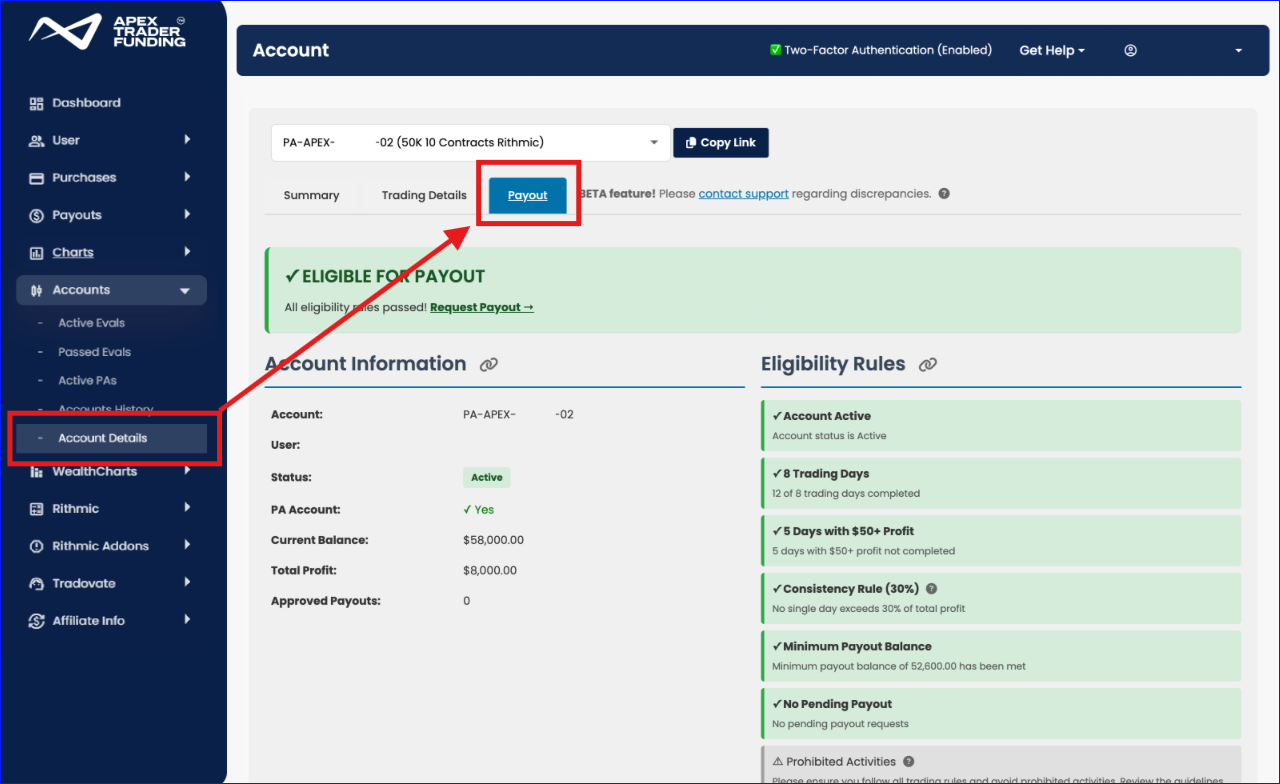
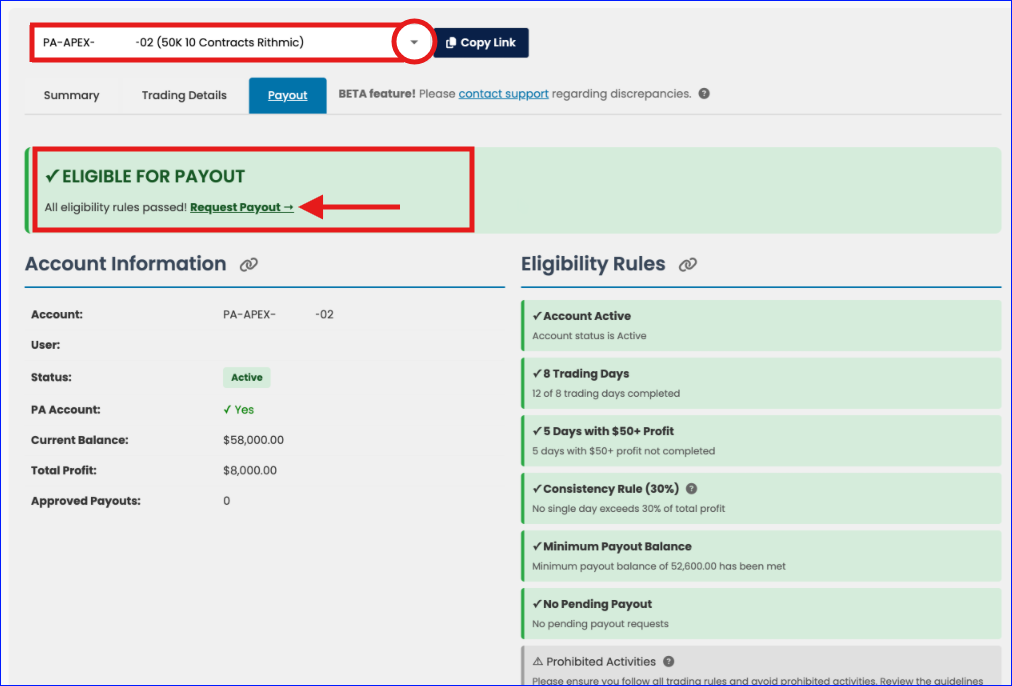
From the Account Details tab, first select the correct PA that you wish to request a payout from.
If all payout eligibility criteria have been met, you will see the following “ELIGIBLE FOR PAYOUT” message, and the “Request Payout” link will be available. Click on that link to get started:
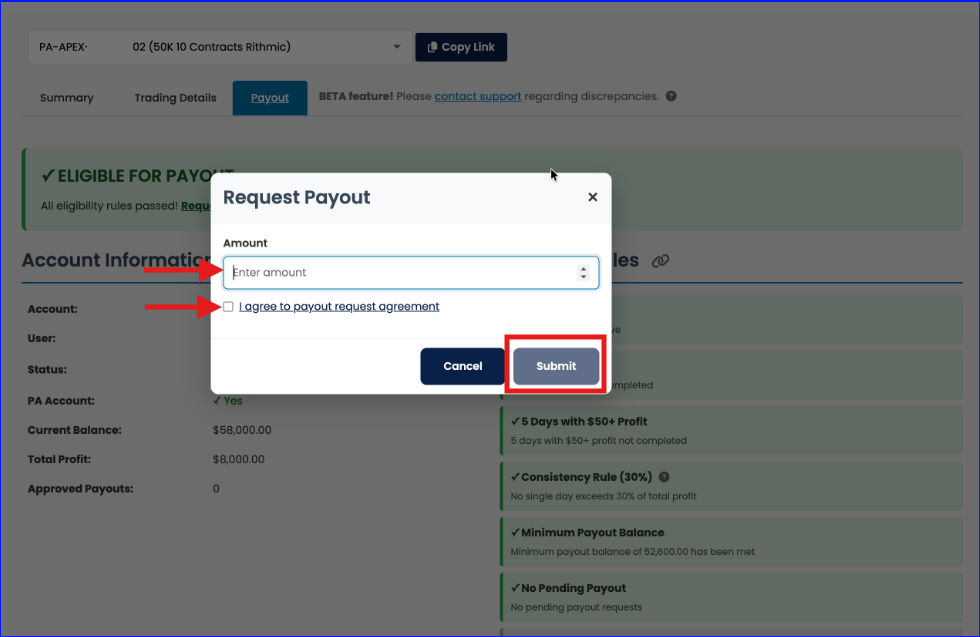
In the Request Payout pop-up:
- Enter the payout amount you wish to request
- View and agree to the “I agree to payout request agreement” disclaimer
- And hit Submit
If the request was submitted correctly, you will see a “Payout request submitted successfully”:
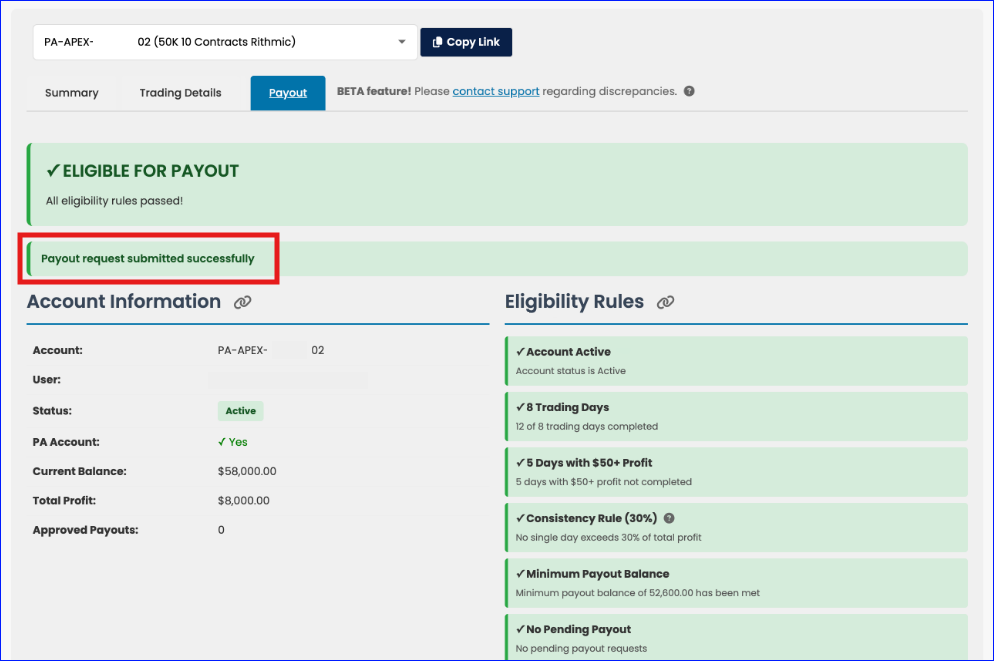
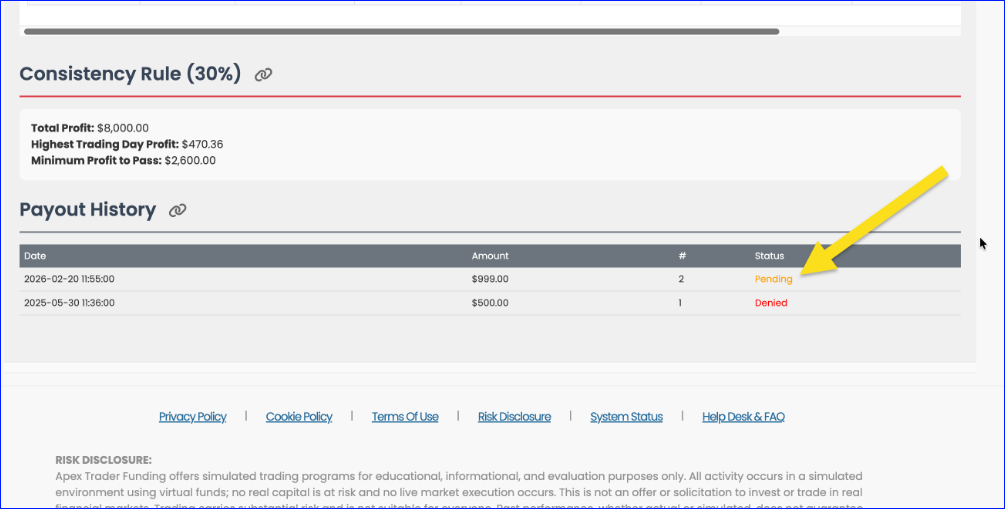
To check status, you can scroll down to the Payout History section of the Account Details page:
After You Submit a Payout Request
Once you submit a payout request, you may continue trading immediately. There is no need to pause trading while your payout is under review.
However, you should trade as if the requested funds have already been removed from your balance. This helps ensure your account remains above the required minimum threshold.
If your balance falls below the required minimum after submitting a payout request, the request will be denied automatically. There is no need to cancel or edit the request. You may continue trading until eligibility is met again.
Common Issues and Quick Fixes
I do not see the Request Payout button
This usually means one of the following:
- You are not currently eligible for a payout.
- You are not in the correct account type (must be a Performance Account).
- You are within a restricted period based on payout requirements.